

Managing invoices effectively is crucial for side hustlers and freelancers who want to maintain professional relationships with clients and ensure timely payments. Whether you’re offering freelance writing services, graphic design, consulting, or any other side business, having a reliable invoice generator streamlines your billing process and projects professionalism.
The good news? You don’t need expensive accounting software to create professional invoices. Numerous free invoice generators offer robust features including customizable templates, automatic calculations, payment tracking, and even payment processing integration. This comprehensive guide explores the top free invoice generators available in 2025, helping you choose the perfect tool to manage your side hustle finances efficiently.
Why Side Hustlers Need Professional Invoice Generators

Before diving into specific tools, let’s establish why investing time in choosing the right invoice generator matters for your side business success.
Professional Image and Credibility
Well-designed, professional invoices signal that you take your business seriously. Clients are more likely to pay promptly and refer you to others when they receive polished, detailed invoices rather than hastily written payment requests via email.
Faster Payment Processing
Invoices with clear payment terms, multiple payment options, and professional presentation typically get paid 30-50% faster than informal payment requests. Free invoice generators often include features like payment links and reminders that accelerate the payment cycle.
Accurate Record Keeping
Proper invoicing creates an automatic paper trail for tax purposes. When tax season arrives, having organized invoice records makes reporting income straightforward and ensures you don’t miss legitimate business deductions.
Time Savings and Efficiency
Creating invoices from scratch every time wastes valuable hours you could spend on billable work. Invoice generators with templates and saved client information reduce invoice creation time from 15-20 minutes to just 2-3 minutes.
Legal Protection
Detailed invoices serve as legal documentation of services rendered, payment terms agreed upon, and amounts owed. This documentation protects you if payment disputes arise.
Essential Features to Look for in Free Invoice Generators
Not all free invoice generators offer the same capabilities. Understanding which features matter most for your side hustle ensures you choose the right tool.
Customizable Templates
Professional templates that you can customize with your logo, brand colors, and business information create consistent, branded invoices that reinforce your professional identity.
Automatic Calculations
Tools that automatically calculate subtotals, taxes, discounts, and totals eliminate mathematical errors and save time during invoice creation.
Multiple Currency Support
If you work with international clients, multi-currency support with automatic exchange rate calculations is essential.
Payment Integration
The ability to embed payment links (PayPal, Stripe, Square, etc.) directly in invoices significantly reduces the time between sending invoices and receiving payments.
Invoice Tracking
Features that show when clients view invoices, send automatic payment reminders, and track payment status help you stay on top of accounts receivable without manual follow-up.
Recurring Invoices
For clients you bill regularly, automated recurring invoice generation saves time and ensures you never forget to bill for ongoing services.
Mobile Accessibility
Mobile apps or responsive web interfaces let you create and send invoices from anywhere, essential for side hustlers managing businesses alongside full-time jobs.
Top Free Invoice Generators for Side Hustlers
1. Wave Invoicing
Best For: Side hustlers wanting comprehensive free accounting features beyond basic invoicing
Wave offers completely free invoicing and accounting software designed specifically for small businesses, freelancers, and side hustlers. Unlike many “free” tools with limited features, Wave provides unlimited invoices, clients, and robust functionality at no cost.
Key Features:
- Unlimited invoices and clients with zero monthly fees
- Professional, customizable invoice templates with logo upload
- Automatic payment reminders for overdue invoices
- Built-in payment processing (2.9% + $0.60 per transaction for credit cards)
- Invoice read receipts showing when clients view invoices
- Recurring invoice automation for retainer clients
- Mobile apps for iOS and Android
- Integrated accounting and expense tracking
- Multi-currency support for international clients
- Bank connection for automatic transaction imports
Limitations:
- Payment processing fees apply when clients pay via credit card
- Some advanced features require paid add-ons
- Interface can feel overwhelming initially due to full accounting features
Pricing: Completely free for invoicing and accounting; payment processing fees apply when accepting credit card payments
Why Side Hustlers Love It: Wave delivers professional-grade features without subscription costs. The integrated accounting features mean you can manage invoices, expenses, and financial reports all in one platform, eliminating the need for multiple tools.
2. Zoho Invoice
Best For: Side hustlers needing advanced automation and CRM integration
Zoho Invoice offers a generous free tier supporting up to 1,000 invoices annually—more than sufficient for most side hustlers. The platform combines powerful invoicing capabilities with project time tracking and expense management.
Key Features:
- Free for up to 1,000 invoices per year
- Professional templates with extensive customization options
- Time tracking integration for hourly billing
- Project management features for tracking work
- Automatic payment reminders and thank-you emails
- Client portal where customers can view invoices and make payments
- Multiple payment gateway integrations (PayPal, Stripe, Square)
- Recurring invoice automation
- Multi-currency and multi-language support
- Mobile apps for invoice creation on-the-go
Limitations:
- Free plan limited to 1,000 invoices annually (paid plans start at $9/month for unlimited)
- Some advanced features require paid subscription
- Learning curve due to extensive features
Pricing: Free for up to 1,000 invoices/year; paid plans from $9/month for unlimited invoicing
Why Side Hustlers Love It: The 1,000 invoice annual limit accommodates most side hustles comfortably. Time tracking integration is particularly valuable for consultants and freelancers billing hourly.
3. Invoice Generator by Invoice Simple
Best For: Side hustlers wanting the simplest possible invoice creation without account registration
Invoice Simple offers a straightforward web-based invoice generator requiring no registration or account creation. You can create, customize, and download invoices instantly, making it perfect for occasional invoicing needs.
Key Features:
- No account or registration required
- Simple, intuitive interface for quick invoice creation
- Professional invoice templates
- Automatic calculations for totals and taxes
- Add your logo and business information
- Download invoices as PDF
- Email invoices directly from the platform
- Save templates for repeat clients (with account)
- Mobile-responsive design
Limitations:
- No payment processing integration
- Limited invoice tracking and management features
- No automatic payment reminders
- Cannot store client information without creating account
- Free version includes subtle branding
Pricing: Free with basic features; premium version ($4.99/month) removes branding and adds features
Why Side Hustlers Love It: Perfect for side hustlers with occasional invoicing needs who don’t want to manage another software account. The simplicity makes invoice creation possible in under 2 minutes.
4. PayPal Invoicing
Best For: Side hustlers already using PayPal for payment processing
If you already receive payments through PayPal, their built-in invoicing feature offers seamless integration with zero additional costs. Invoices include embedded payment buttons making it incredibly easy for clients to pay immediately.
Key Features:
- Completely free with no limits on invoice volume
- Professional invoice templates customizable with your branding
- Direct integration with PayPal payment processing
- Clients can pay with one click directly from invoice
- Automatic payment tracking and confirmation
- Payment reminders for unpaid invoices
- Mobile app for creating invoices anywhere
- International payment support in multiple currencies
- Saved client information for faster repeat invoicing
Limitations:
- Requires both you and clients to use PayPal
- PayPal transaction fees apply (2.9% + $0.30 for domestic transactions)
- Less customization compared to dedicated invoice tools
- Limited reporting and accounting features
Pricing: Free invoicing; PayPal transaction fees apply to payments
Why Side Hustlers Love It: If you’re already in the PayPal ecosystem, this is the path of least resistance. The embedded payment button significantly accelerates payment timelines.
5. Square Invoices
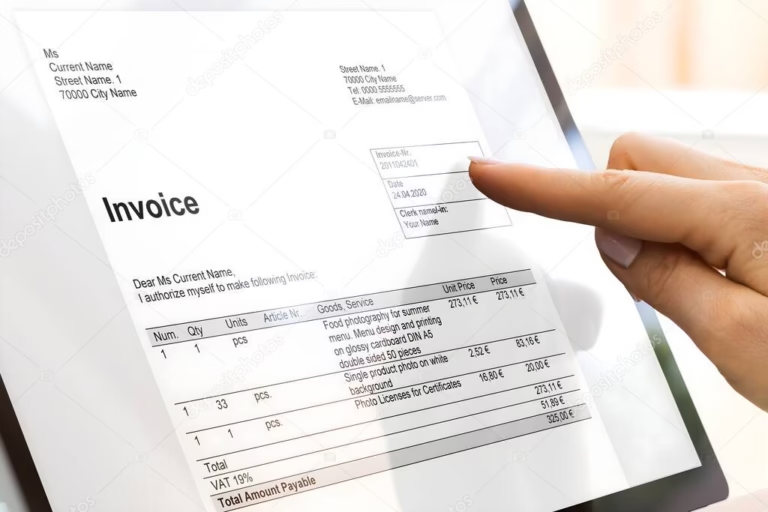
Best For: Side hustlers needing both invoicing and in-person payment processing
Square built its reputation on point-of-sale hardware, but their free invoicing tool is excellent for service-based side hustlers. The platform shines when you need both remote invoicing and occasional in-person payment processing.
Key Features:
- Unlimited free invoices
- Professional, mobile-optimized invoice templates
- Integrated payment processing with multiple payment options
- Automatic payment reminders
- Invoice scheduling for sending at optimal times
- Recurring invoice automation for subscription services
- Tipping option for service businesses
- Instant payment notifications
- Real-time invoice tracking
- Integration with Square’s broader ecosystem (point of sale, appointments, etc.)
Limitations:
- Payment processing fees (2.9% + $0.30 for online payments)
- Less detailed customization than some alternatives
- Best value when using other Square products
Pricing: Free invoicing; payment processing fees apply
Why Side Hustlers Love It: The seamless integration across Square’s ecosystem is valuable if you also need point-of-sale capabilities. The mobile-first design makes invoicing incredibly quick.
6. FreshBooks (Free Trial + Limited Free Plan)
Best For: Side hustlers planning to scale to full-time freelancing
While FreshBooks isn’t truly “free” long-term, they offer a generous 30-day free trial and their lite plan ($8.50/month) is worth mentioning for side hustlers serious about professional invoicing and accounting.
Key Features:
- Professional invoice templates with extensive customization
- Automatic late payment reminders
- Time tracking for accurate hourly billing
- Expense tracking with receipt capture
- Project management and collaboration tools
- Client portal for transparent communication
- Multiple payment gateway integrations
- Detailed financial reporting
- Mobile apps for iOS and Android
- Excellent customer support
Limitations:
- Not permanently free (30-day trial only)
- Lite plan ($8.50/month) limits to 5 billable clients
- Cost increases with more clients and features
Pricing: 30-day free trial; paid plans from $8.50/month
Why Side Hustlers Consider It: For side hustles transitioning toward full-time freelancing, FreshBooks offers professional features worth the investment. The 30-day trial lets you evaluate whether the cost justifies the benefits.
7. Invoice Ninja
Best For: Tech-savvy side hustlers wanting open-source flexibility and customization
Invoice Ninja offers a unique proposition: completely free, open-source invoicing software available both as a cloud-hosted service and self-hosted solution. The platform provides professional features without ongoing costs.
Key Features:
- Unlimited clients and invoices on free plan
- Highly customizable invoice templates
- Multiple payment gateway integrations
- Recurring invoice automation
- Client portal for self-service
- Time and expense tracking
- Multi-language and multi-currency support
- Project management features
- Self-hosting option for complete control
- Open-source codebase for customization
Limitations:
- Interface less polished than commercial alternatives
- Self-hosting requires technical knowledge
- Free hosted plan includes Invoice Ninja branding
- Smaller user community for support
Pricing: Free with limitations; paid plans from $10/month remove branding and add features
Why Side Hustlers Love It: The combination of free unlimited invoicing with advanced features appeals to budget-conscious side hustlers who don’t mind a less polished interface.
How to Choose the Best Free Invoice Generator for Your Side Hustle
With multiple excellent options available, selecting the right invoice generator depends on your specific needs and workflow preferences.
Consider Your Payment Processing Preferences
If you already use PayPal or Square for payments, their integrated invoicing tools offer the smoothest experience. For payment processor agnostic preferences, Wave or Zoho provide flexibility.
Evaluate Your Invoicing Volume
Occasional side hustlers (fewer than 20 invoices annually) can use simple tools like Invoice Simple. More active side businesses benefit from full-featured platforms like Wave or Zoho that accommodate growth.
Assess Your Accounting Needs
Side hustlers wanting comprehensive financial management beyond just invoicing should choose Wave for its integrated accounting features. Those needing only invoicing can opt for simpler, focused tools.
Consider Your Technical Comfort Level
Non-technical users appreciate simple interfaces like Invoice Simple or Square. Tech-savvy side hustlers might prefer Invoice Ninja’s customization possibilities.
Plan for Business Growth
If your side hustle is growing rapidly, choose scalable platforms like Wave, Zoho, or FreshBooks that offer advanced features as your needs evolve without switching tools.
Best Practices for Side Hustle Invoicing
Having the right tool is only part of effective invoicing. Implementing these best practices ensures you get paid promptly and maintain professional client relationships.
Include All Essential Information
Professional invoices always include your business name and contact information, client name and contact details, unique invoice number, invoice date and payment due date, detailed description of services or products, itemized pricing for each line item, subtotal, applicable taxes, and total amount due, and clear payment terms and accepted payment methods.
Set Clear Payment Terms
Establish standard payment terms (Net 15, Net 30, etc.) and communicate them clearly on every invoice. Include late payment penalties if appropriate for your industry and client agreements.
Send Invoices Promptly
Don’t wait weeks after completing work to invoice clients. Send invoices within 24-48 hours of project completion or according to agreed-upon schedules for ongoing work. Prompt invoicing leads to prompt payment.
Follow Up on Overdue Invoices
Use your invoice generator’s automatic reminder features to send polite payment reminders for overdue invoices. Follow up personally if invoices remain unpaid 15+ days past due date.
Keep Detailed Records
Maintain organized invoice records for tax purposes. Most invoice generators automatically store invoice history, but back up important financial documents regularly.
Use Professional Language and Design
Even free invoice templates should look professional. Include your logo, use consistent branding, maintain professional tone in descriptions, and proofread carefully before sending.
Integrating Invoice Generators with Your Side Hustle Workflow
Maximize efficiency by integrating your chosen invoice generator seamlessly into your broader business workflow.
Link to Time Tracking
If you bill hourly, use invoice generators with built-in time tracking (Zoho, FreshBooks) or integrate standalone time tracking tools with your invoicing platform.
Connect to Accounting Software
Ensure invoice data flows to your accounting or tax preparation software. Wave’s integrated approach eliminates this concern, while other tools offer exports to QuickBooks, Excel, or CSV formats.
Automate Recurring Billing
For retainer clients or subscription services, set up recurring invoices to automate monthly billing. This ensures consistent cash flow and eliminates the risk of forgetting to bill.
Create Invoice Templates
Save time by creating templates for common services you offer. Pre-filled descriptions and pricing make invoice creation nearly instantaneous for repeat services.
Schedule Regular Invoicing Time
Block specific time weekly (Friday afternoons work well) to review completed work and send invoices. Regular invoicing schedules improve cash flow consistency.
Common Invoicing Mistakes Side Hustlers Should Avoid
Understanding common pitfalls helps you maintain professional invoicing practices from the start.
Missing Information: Incomplete invoices delay payment and appear unprofessional. Always include all required information detailed earlier.
Unclear Service Descriptions: Vague descriptions like “consulting services” confuse clients. Specify exactly what work you performed.
Inconsistent Numbering: Use sequential invoice numbers for organization and professionalism. Most invoice generators handle this automatically.
Ignoring Tax Requirements: Understand whether you need to collect sales tax or other taxes in your jurisdiction and jurisdiction of clients.
Delayed Invoicing: Waiting to invoice until you desperately need money creates erratic cash flow. Invoice consistently on schedule.
No Follow-Up System: Assuming clients will pay without reminders leads to cash flow problems. Use automatic reminder features or set calendar alerts for manual follow-up.
Conclusion: Choose Your Tool and Start Invoicing Professionally
Professional invoicing is non-negotiable for serious side hustlers who want to get paid consistently, maintain client relationships, and grow their businesses. The free invoice generators reviewed in this guide provide everything you need to create professional invoices without monthly subscription costs eating into your side hustle profits.
Quick Recommendations:
- Best Overall Free Option: Wave for unlimited invoicing plus comprehensive accounting features
- Best for Simplicity: Invoice Simple for quick, no-account-required invoice creation
- Best for PayPal Users: PayPal Invoicing for seamless payment integration
- Best for Square Users: Square Invoices for integrated payment ecosystem
- Best for Growth: Zoho Invoice for scaling beyond basic invoicing needs
- Best for Customization: Invoice Ninja for open-source flexibility
The best invoice generator is the one you’ll actually use consistently. Choose a tool that matches your workflow, start creating professional invoices today, and watch how proper invoicing accelerates your side hustle success.
Ready to professionalize your side hustle invoicing? Pick one of these free invoice generators, create your first template, and send your next invoice with confidence. Your side business deserves professional financial management—and you deserve to get paid promptly for your valuable work.